
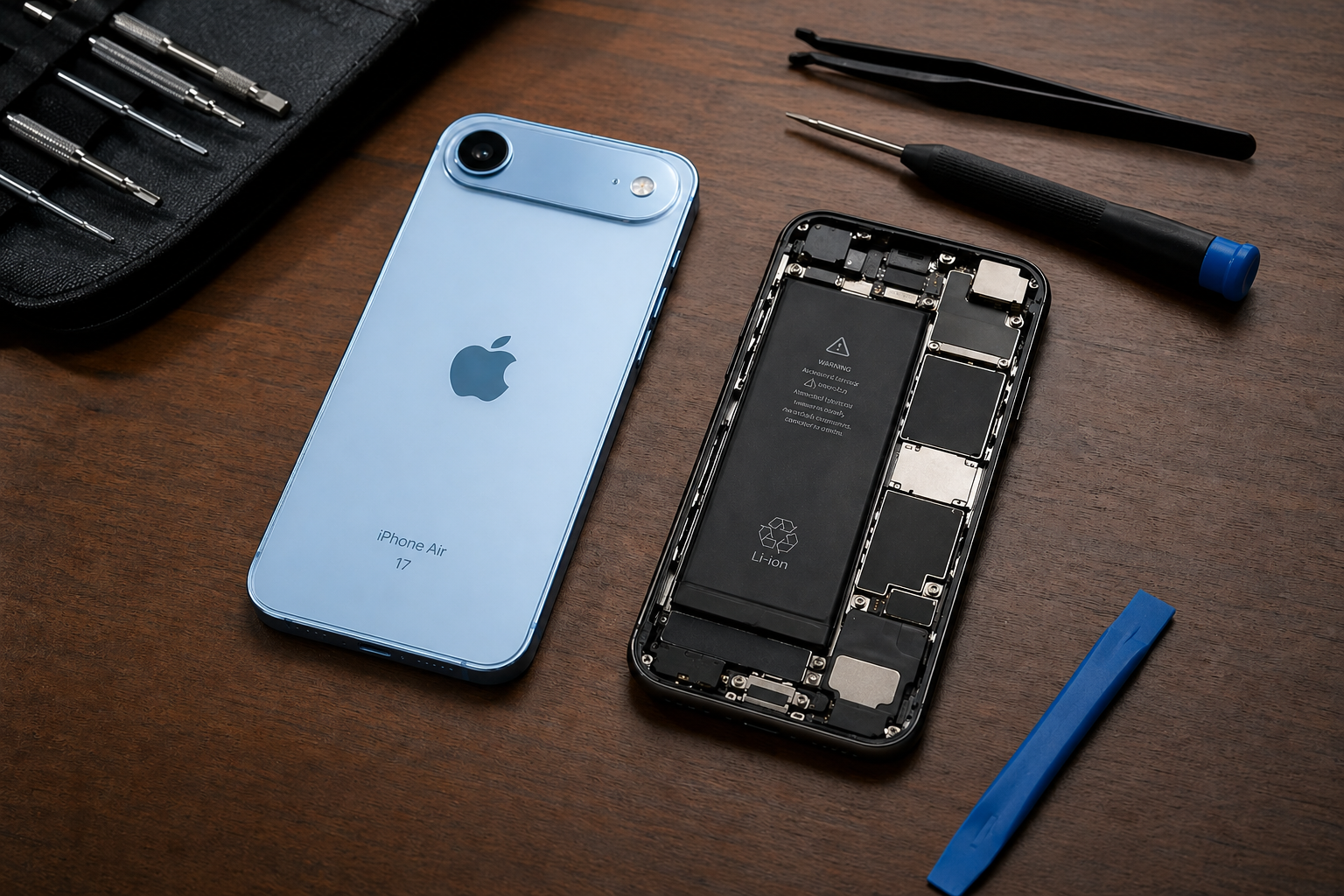
A light blue iPhone Air 17 next to an opened iPhone showing internal battery and components, with repair tools on a wooden desk.
/ By Jonathan Hawkins / iPhone Repair / 0 Comments

Every year, the technology world holds its collective breath for Apple’s latest innovations, and the massive shift we saw with the September 2025 release of the iPhone 17 series fundamentally changed the smartphone landscape well into 2026. The launch of the highly anticipated iPhone 17 lineup—alongside the jaw-dropping, brand-new iPhone Air—certainly didn’t disappoint. Apple pushed the boundaries of design and software with the leap to their new A19 silicon and the revolutionary iOS 26.


But as we welcome this next generation of ultra-powerful smartphones, we also have to say a bittersweet goodbye to some incredibly popular old favorites.

If you’ve recently visited the Apple Store online or walked into a retailer, you might have noticed some glaring omissions from their active lineup. Apple has officially discontinued the iPhone 16 Pro, iPhone 16 Pro Max, iPhone 15, and the iPhone 15 Plus, along with several other older models.

What does this massive catalog overhaul mean for you? Whether you’re itching to upgrade to the impossibly thin iPhone Air, wondering about the fluctuating resale value of your current device, or simply needing a reliable battery or screen repair to keep your older iPhone kicking for another three years, RockIT Repairs has you covered. Let’s break down absolutely everything you need to know about Apple’s latest catalog changes, the incredible new devices, and what your smartest financial move should be.

The Apple Discontinuation Cycle: Which iPhones Did Apple Axe?

With the dawn of the iPhone 17 era, Apple cleared house to make room for devices fully optimized for their rapidly evolving Apple Intelligence platform and the heavily upgraded iOS 26 ecosystem. By streamlining its active catalog, Apple gently pushes consumers toward its latest hardware while simplifying its global supply chain.

Here is the comprehensive list of the iPhones that were officially discontinued following the September 2025 Apple event:

  • iPhone 16 Pro & 16 Pro Max: Replaced by the vastly upgraded, AI-focused iPhone 17 Pro & 17 Pro Max.

  • iPhone 16 & 16 Plus: Replaced by the base model iPhone 17.

  • iPhone 15 & 15 Plus: The standard iPhone 15 was retired, clearing the runway for the entry-level devices.

  • iPhone 14 & 14 Plus: These older entry-level devices have finally been removed from Apple’s official storefront, effectively making USB-C the absolute standard across all newly sold Apple iPhones.

Expert Note from RockIT Repairs: Just because Apple discontinues a model does not mean it is obsolete! If you own an iPhone 15 or 16 Pro, you possess a highly capable, premium device. A simple iPhone battery replacement can easily extend its lifespan by years.

The Game Changer: What You Need to Know About the iPhone Air

While the iPhone 17 Pro is an impressive machine, the undeniable star of Apple’s current lineup is the iPhone Air. By officially killing off the bulky “Plus” series, Apple introduced a device that prioritizes extreme sleekness, portability, and futuristic aesthetics. It is a massive departure from the heavy, brick-like phones of the past few years.

Here is exactly what makes the iPhone Air the most talked-about phone of 2026:

  • Impossibly Thin Design: At a staggering 5.6mm thick, the iPhone Air is officially Apple’s thinnest and lightest iPhone ever created. It is a marvel of modern engineering, utilizing a rigid titanium frame to prevent bending while maintaining its sleek profile.

  • A Beautiful Display: It sits perfectly between the standard 17 and the Pro Max with a gorgeous 6.5-inch OLED display, offering a massive screen without the heavy footprint.

  • Uncompromised Power: Despite its ridiculously thin chassis, it doesn’t sacrifice performance. It packs the exact same blazing-fast A19 chip found in the standard models, alongside 8GB of LPDDR5X memory to run on-device Apple Intelligence tasks smoothly.

  • eSIM Only Worldwide: Pushing further into a portless, wireless future, Apple completely eradicated the physical SIM tray for the iPhone Air on a global scale.

  • Pricing & Colors: The iPhone Air starts at $999 for the 256GB model and is available in striking new colors like Sky Blue, Light Gold, Cloud White, and Space Black.


Enter the iPhone 17 Era: Massive Specs, Double Storage, and iOS 26

If you are considering a standard upgrade, the iPhone 17 lineup represents one of the most significant generational leaps we have seen from Apple in years. Here is exactly what the new base-model flagships bring to the table.

The Storage Bump: Goodbye 128GB

For years, tech reviewers and everyday consumers alike have complained about Apple’s insistence on starting base models at a measly 128GB of storage. With the release of the iPhone 17, Apple finally listened. The base iPhone 17 now starts at 256GB of storage—double the entry storage from previous generations. Even better? It retains the same competitive starting price of $799. Apple also offers a 512GB option for $999.


The Leap to iOS 26

If you are wondering whatever happened to iOS 19, 20, or 25, you aren’t alone. In a major branding shift introduced alongside the iPhone 17 in September 2025, Apple skipped over half a decade of numerical software updates to launch iOS 26. Apple adopted a new naming convention to align the software version with the calendar year (iOS 26 for the year 2026). It makes it vastly easier for everyday consumers to know if their device is running the current year’s software.

iPhone 17 Pro and 17 Pro Max

For the power users, the Pro models remain the undisputed heavy hitters. Equipped with the cutting-edge Apple A19 Pro chip and an upgraded 12GB of RAM, these devices feature a groundbreaking new memory security enforcement architecture that makes them the most secure consumer smartphones on the market. These devices are purpose-built for heavy on-device AI computing, advanced 48MP photography across all lenses, and seamless multitasking.


People Also Ask (PAA): Your Burning iPhone Discontinuation Questions Answered

(We’ve rounded up the top search queries and questions floating around the web to help you navigate this massive tech transition!)

Why did Apple discontinue the iPhone 16 Pro so quickly?

It is standard Apple strategy. By removing the one-year-old Pro models (the iPhone 16 Pro and 16 Pro Max) from their official store, Apple ensures that these older flagships don’t undercut the sales of their shiny new iPhone 17 Pro series. It streamlines their manufacturing supply chain and gently nudges tech enthusiasts toward the latest, most expensive hardware. However, third-party retailers and carriers may still sell remaining stock at a discount.

Will my discontinued iPhone 15 or 16 Pro still get iOS 26 updates?

Absolutely! The term “discontinued” only means Apple has stopped manufacturing them and selling them directly via the Apple Store. If you own an iPhone 15, iPhone 16, or their respective Pro variants, your device fully supports the newly released iOS 26. Furthermore, these devices will continue to receive crucial iOS software updates and security patches for at least another 5 to 6 years.

How long do discontinued iPhones receive updates?

Historically, most iPhones receive major iOS software updates for roughly 5 to 7 years after their initial launch date. Even after a device stops receiving the latest major iOS version upgrades, Apple continues to push out critical security updates for older models to ensure they remain protected against emerging vulnerabilities. Rest assured, your iPhone 14, 15, or 16 will remain secure well into the late 2020s.

Are discontinued Apple products still worth buying or fixing?

Yes, they are highly worth it! Discontinued models like the iPhone 15 Pro Max and iPhone 16 Pro are incredibly powerful smartphones that often see significant price drops on the secondary and refurbished markets. Buying a discontinued flagship is one of the smartest ways to get premium features (like titanium frames and advanced cameras) without paying the brand-new “Apple Tax.” Furthermore, fixing a broken screen or degrading battery on a discontinued model is highly cost-effective compared to buying a new $1,000+ device.

Why did Apple skip to iOS 26?

Apple launched iOS 26 in September 2025 to match the upcoming calendar year of 2026. Bypassing iOS 19 through 25 entirely, Apple adopted an automotive-style naming convention. This makes it instantly recognizable for users to know if their device’s software is up-to-date with the current year, reducing fragmentation and customer confusion.

Upgrade, Sell, or Repair? The Ultimate RockIT Repairs Cost Guide

Here is where the rubber meets the road for your wallet. Technology moves at blinding speeds, but that doesn’t mean you need to empty your bank account every single year. Here is our expert advice on what you should do right now.

1. When to Upgrade

If you are holding onto an iPhone 12, iPhone 13, or an older generation device, the jump to the iPhone 17 series will be mind-blowing. If your phone is struggling to run basic apps, failing to hold a charge for half a day, or you are simply desperate to experience the ultra-thin, futuristic 5.6mm titanium chassis of the new iPhone Air, it is time to upgrade. Carriers are currently offering aggressive trade-in promotions to get users onto the new iOS 26 ecosystem.

2. When to Sell

Discontinued Pro models—specifically the iPhone 16 Pro and 16 Pro Max—hold their resale value incredibly well on the secondary market. However, that value drops every single week the iPhone 17 is on the market. If you are determined to upgrade to the new A19 Pro chip or want the radical redesign of the iPhone Air, sell your current device now before the used market gets too saturated.

3. When to Keep & Repair (The Smart Choice)

Do you currently own an iPhone 14 Pro, iPhone 15, or iPhone 16 Pro? Keep it! These devices are still absolute powerhouses that run iOS 26 flawlessly and take incredible photos.

Do not let a cracked screen, a shattered back glass panel, a broken charging port, or a rapidly degrading battery force you into spending over a grand on a brand-new phone. At RockIT Repairs, we specialize in high-quality, fast-turnaround repairs for all iPhone models—including the recently discontinued ones!

A quick, affordable battery replacement can instantly revitalize your iPhone 15 or 16, restoring its peak performance and making it feel brand new again for a tiny fraction of the cost of the iPhone 17. Our expert technicians use top-tier parts to ensure your phone operates exactly as Apple intended, saving you hundreds of dollars and keeping perfectly good tech out of landfills.

The Bottom Line

Apple’s dramatic shift to the iPhone 17 lineup, the introduction of the jaw-dropping iPhone Air, and the bold leap to iOS 26 represents one of the most exciting eras in smartphone history. While it is always a little sad to see excellent, trusted devices like the iPhone 16 Pro and iPhone 15 hit the discontinuation list, it ultimately paves the way for faster, smarter, and sleeker technology.

Whether you decide to take the financial leap and buy the breathtaking new $999 iPhone Air, or you want to breathe new life into your reliable older iPhone with a much-needed screen or battery repair, we are here to help you get the absolute most out of your tech investment.

Is your older iPhone acting up? Need professional advice on whether your current phone is worth fixing or trading in? Drop by RockIT Repairs or contact us today to get a fast, free, and honest diagnostic quote!
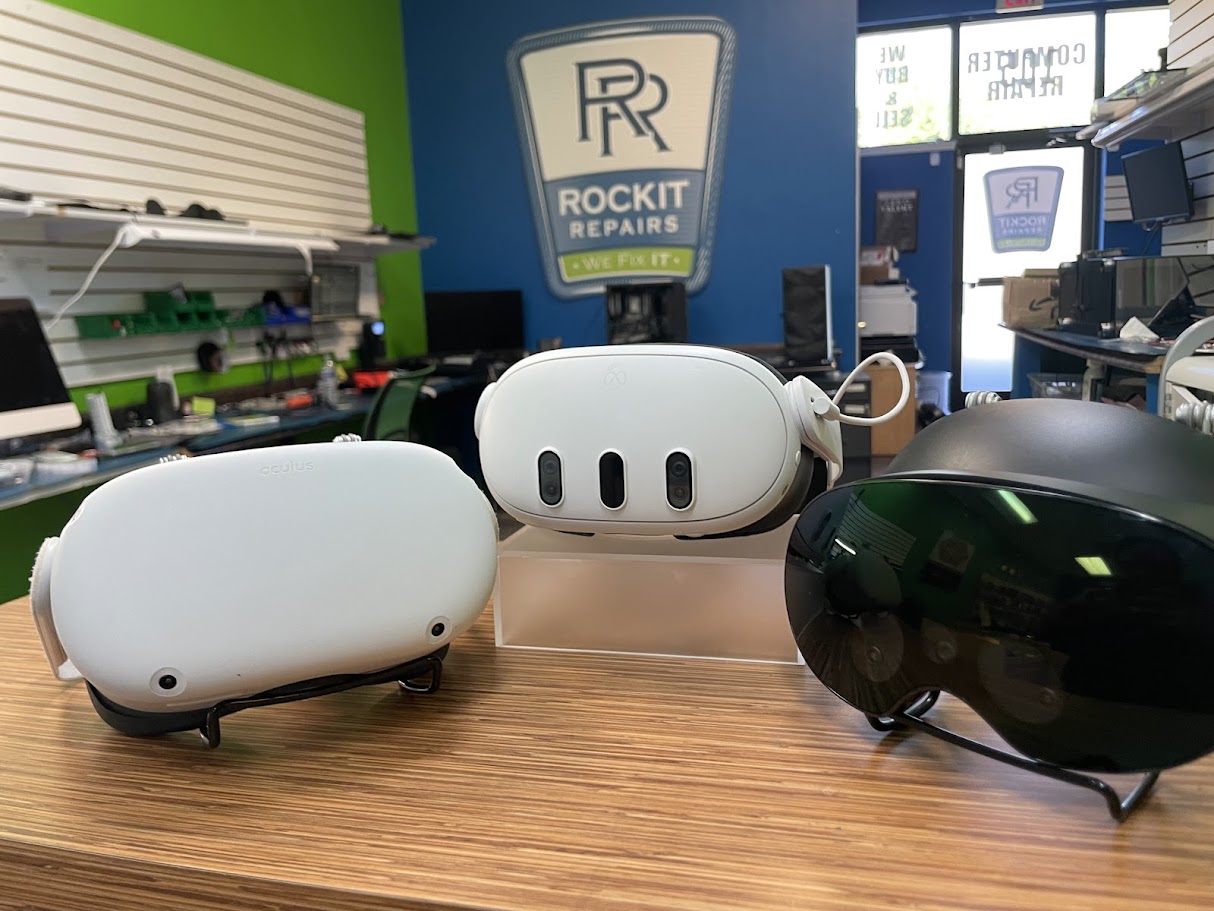
VR headset repair Fredericksburg VA Meta Quest Oculus repair RockIT Repairs
/ By Jonathan Hawkins / VR Repair / 0 Comments
Fredericksburg VA VR repair experts

VR Headset Repair in Fredericksburg VA for Meta Quest, Oculus, HTC Vive and More

When your VR headset stops charging, loses tracking, shows a black screen, has scratched lenses, overheats, or refuses to power on, RockIT Repairs in Fredericksburg gives you a local place to get real answers fast.

Call RockIT Repairs: 540-412-8824

Fredericksburg’s Local VR Repair Shop

Virtual reality is not just a toy anymore. VR headsets are used for gaming, fitness, education, work simulations, design previews, business training, entertainment, and immersive social experiences. That means when a headset breaks, it is more than annoying. It can stop a family game night, interrupt a training setup, ruin a birthday gift, or shut down a piece of equipment your business depends on.

At RockIT Repairs in Fredericksburg, Virginia, we diagnose and repair VR headsets for customers throughout Fredericksburg, Spotsylvania, Stafford, Falmouth, Massaponax, Leeland Station, King George, Caroline County, Locust Grove, Dahlgren, Thornburg, and the surrounding region. If you searched for VR repair near me, Meta Quest repair Fredericksburg VA, Oculus repair near Fredericksburg, or Quest charging port repair, you are exactly who this page was built for.

VR systems are packed with delicate electronics. A modern headset can include multiple cameras, proximity sensors, motion sensors, internal batteries, charging circuits, display panels, lens assemblies, microphones, speakers, cooling pathways, wireless radios, and firmware that has to work perfectly with the hardware. When one part fails, the whole experience can fall apart.

VR Headsets We Service

RockIT Repairs works on many popular virtual reality and mixed reality systems. Every repair starts with a diagnostic because VR problems can look simple from the outside but have multiple possible causes inside the device.

Meta Quest Repair
Meta Quest 2, Meta Quest 3, Meta Quest 3S, charging issues, battery problems, tracking faults, no power, display problems and software boot issues.
Oculus Repair
Oculus Quest, Oculus Rift, Oculus Rift S and older Oculus systems with headset, tracking, connection, display or charging problems.
HTC Vive Repair
HTC Vive headsets and related VR hardware with connection, display, cable, sensor and power issues.
VR Accessory Help
Controller pairing issues, strap problems, charging accessories, cable concerns and basic setup troubleshooting.

If you do not see your exact model listed, bring it in anyway. We repair phones, tablets, computers, laptops, consoles and other electronics every day, which gives us the bench experience needed to diagnose small device failures at the component and system level.

Common VR Headset Problems We Fix

VR devices fail in specific patterns because they are worn on the body, moved constantly, exposed to sweat, charged frequently and often shared between multiple users. Below are the issues we see most often at our Fredericksburg repair shop.

VR Headset Not Charging

Charging failures are one of the biggest reasons customers bring in Meta Quest and Oculus devices. USB C ports wear out over time. The cable may feel loose, the headset may only charge at a certain angle, or the battery icon may never move even when plugged in. Sometimes the port is dirty. Sometimes the charging circuit is damaged. Sometimes the battery is no longer accepting charge properly. We inspect the port, test charging behavior and help determine whether the problem is the cable, port, battery or board level charging path.

Black Screen or No Display

A black screen can be caused by a drained battery, failed display, firmware issue, damaged internal connection, overheating condition or impact damage. VR display problems can be especially frustrating because the outside of the headset may look perfect while the inside is not working. Our diagnostic process helps separate a simple power issue from a more serious display or board issue.

Tracking Problems and Sensor Failure

Tracking is what makes VR feel real. When tracking fails, the headset may drift, lose your controllers, stutter, jump around, or tell you it cannot find your play area. Tracking problems can come from dirty cameras, damaged sensors, poor lighting, software errors or physical damage. Meta’s own safety guidance emphasizes using VR in a clear, appropriate play space and keeping the device away from hazards, heat and liquids. You can review Meta’s official safety information here: Meta Quest Safety Center.

Lens Scratches, Fogging and Visual Distortion

The lenses are the first thing your eyes notice. Scratches, haze, fogging and smudges can ruin the experience even when the headset technically powers on. Cleaning the wrong way can make the damage worse. Meta recommends microfiber cloth care and warns against harsh cleaning methods for Quest devices. Their official care guidance is available here: cleaning Meta Quest devices.

Battery Drain and Short Play Time

VR headsets use rechargeable batteries that naturally degrade. If your device used to last a full session and now dies quickly, shuts off under load, or refuses to hold a charge, the battery may be worn. Charging habits, heat, storage conditions and age can all affect battery life. Meta has a helpful battery care resource for Quest headsets here: Meta Quest battery life guidance.

Overheating During VR Use

VR headsets work hard. They render immersive environments, track movement, run wireless connections and power displays inside a compact shell. If your headset gets too hot, shuts down, warns you about temperature, or performs poorly after a few minutes, it needs to be checked. Heat can come from blocked airflow, battery problems, heavy software load, damaged internal parts or environmental conditions.

Sweat and Moisture Damage

VR is physical. People play fitness games, action games and rhythm games while wearing electronics on their face. Sweat can get into seams, speaker areas, buttons, charging ports and sensors. Moisture can cause corrosion, intermittent power issues, distorted audio, charging failure and button problems. The sooner a moisture affected headset is inspected, the better the chance of preventing deeper damage.

Controller Pairing and Connection Issues

Sometimes the headset is fine but the controllers will not connect, track or respond correctly. Controller problems may be caused by battery contacts, pairing errors, physical impact, firmware problems or sensor issues. We can help determine whether you have a headset problem, controller problem or setup problem.

Why Local VR Repair Beats Mailing Your Headset Away

When your VR headset breaks, shipping it out can feel like the only option. It is not. Local repair gives you a faster, clearer path. You can walk into our Fredericksburg location, talk to a real technician, show us what the device is doing and get a practical diagnostic without waiting weeks just to find out what is wrong.

Mail in repair can be helpful for some warranty situations, but it also adds delay, packaging risk and uncertainty. With local repair, you keep the process closer to home. That matters for families, gamers, students, streamers, local businesses and anyone who depends on their headset for more than casual use.

Local SEO note for real humans: RockIT Repairs is located right here in Fredericksburg at 1319 Lafayette Blvd #300. You do not have to ship your VR headset across the country to start getting answers.

Our VR Repair Process

  1. Bring in your VR headset. Walk into our Fredericksburg shop with the headset, charger, controllers and any accessories related to the issue.
  2. Tell us what happened. Drops, charging problems, sweat exposure, failed updates and symptoms all help us diagnose faster.
  3. We perform a diagnostic. We inspect power, charging, display behavior, sensors, tracking, controls and visible damage.
  4. You get clear repair options. We explain what we found and what repair path makes sense before work begins.
  5. We repair and test. After the repair, we test the device so you can get back to VR with confidence.

Serving Fredericksburg, Spotsylvania and Stafford VR Owners

RockIT Repairs is a local electronics repair shop serving the greater Fredericksburg region. Our VR repair customers come from downtown Fredericksburg, College Heights, Mayfield, Ferry Farm, Falmouth, Celebrate Virginia, Central Park, Spotsylvania Courthouse, Massaponax, Thornburg, Stafford, Aquia, Garrisonville, King George, Dahlgren, Caroline County and nearby communities.

Whether you bought your headset for your kids, your own gaming setup, your business, your school program or your fitness routine, we understand how important fast repair can be. VR is expensive. Replacing a headset too quickly can waste money when the real issue may be repairable.

RockIT Repairs Fredericksburg
1319 Lafayette Blvd #300
Fredericksburg, VA 22401
540-412-8824
www.rockitrepairs.com

Why VR Repair Requires Real Electronics Experience

A VR headset is not a simple screen strapped to your face. It is a compact computer, display system, motion tracking platform and wearable device all in one. That is why diagnostics matter. A no power issue may look like a dead battery, but it could involve the charging port, cable, power management circuit, internal connector or firmware state. A tracking issue may look like a camera failure, but it could be lighting, lens contamination, controller behavior or software.

Research around VR use also shows that immersive systems create unique physical and sensory demands. Studies indexed by the National Library of Medicine discuss VR sickness and user adaptation, which reinforces how tightly comfort, tracking, visuals and performance are connected in a headset experience. You can view one related PubMed indexed study here: VR sickness adaptation research.

For device teardown and component complexity context, repair education sites such as iFixit show how compact and layered VR headset assemblies can be. Their Meta Quest 2 device page is here: iFixit Meta Quest 2 device resource.

How to Protect Your VR Headset

Good habits can help prevent damage, especially in homes where multiple people share the same headset.

  • Keep the headset away from direct sunlight because lenses can focus light and damage internal displays.
  • Use a proper charger and cable instead of random worn out cables.
  • Clean lenses gently with a dry microfiber cloth.
  • Do not use harsh chemicals, alcohol or wet cleaning methods on sensitive areas.
  • Store the headset in a case or safe place when not in use.
  • Keep the charging port free from dust and debris.
  • Let the headset cool down if it feels unusually hot.
  • Wipe down sweat after fitness or active VR sessions.
  • Keep pets, small children and clutter away from the play area.
  • Bring the device in early if it starts charging only at an angle.

VR Repair Frequently Asked Questions

Do you repair Meta Quest headsets in Fredericksburg?

Yes. RockIT Repairs repairs Meta Quest devices including Quest 2, Quest 3 and Quest 3S. We can diagnose charging issues, battery problems, tracking trouble, black screens, software boot problems and physical damage.

Do you still repair Oculus headsets?

Yes. Even though the newer branding is Meta Quest, many customers still call these devices Oculus headsets. We repair Oculus Quest, Rift and related VR hardware whenever parts and repair options are available.

Can you fix a VR headset that will not charge?

Yes. Charging problems are one of the most common VR repairs. The cause may be the USB C port, battery, charger, internal connector or charging circuit. We test the device before recommending the repair.

Can you fix VR tracking problems?

Yes. Tracking problems may come from dirty cameras, sensor failure, software issues, lighting conditions, controller pairing or physical damage. We help narrow down the actual cause.

Can sweat damage a VR headset?

Yes. Sweat can enter seams, buttons, speaker areas and ports. Over time, moisture can cause corrosion, charging problems, audio issues, button failure and intermittent power problems.

Is VR headset repair worth it?

In many cases, yes. VR headsets can be expensive to replace. If the issue is a charging port, battery, connection problem, minor physical damage or certain hardware failures, repair may be the smarter option.

Do I need an appointment?

No appointment is required for most diagnostics. You can bring your headset to RockIT Repairs Fredericksburg during business hours.

What should I bring with my VR headset?

Bring the headset, charger, controllers and any cables or accessories related to the issue. If the problem happens only with a certain cable or controller, bring that too.

Need VR Repair in Fredericksburg VA?

Bring your Meta Quest, Oculus, HTC Vive or other VR headset to RockIT Repairs Fredericksburg. We will diagnose the problem, explain your options and help you get back into VR as quickly as possible.

RockIT Repairs Fredericksburg
1319 Lafayette Blvd #300, Fredericksburg, VA 22401
Call or text: 540-412-8824

Visit RockIT Repairs

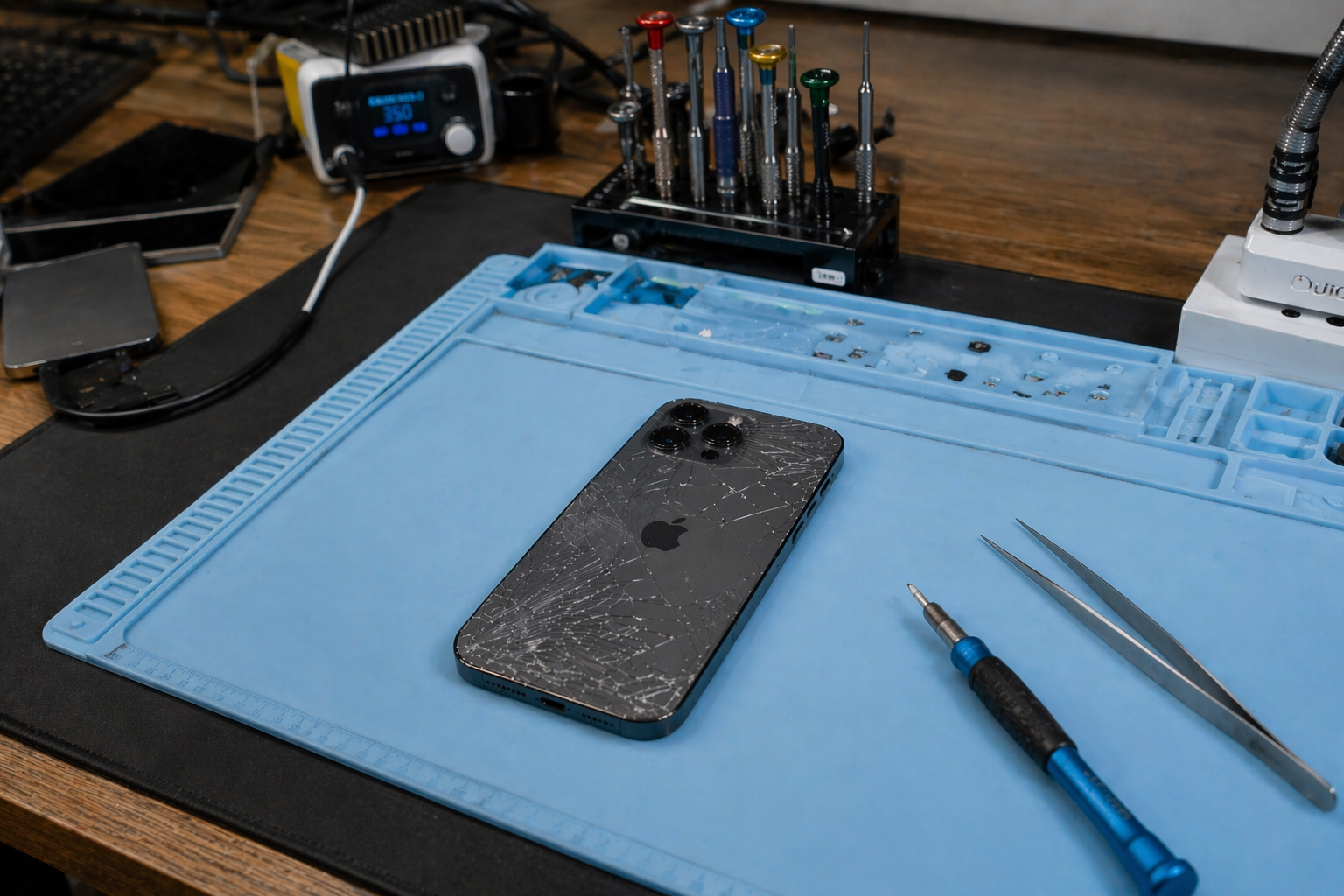
Cracked iPhone 17 back glass on repair mat at RockIT Repairs in Fredericksburg VA with tools ready for professional repair
/ By Jonathan Hawkins / iPhone Repair / 0 Comments

iPhone 17 Screen Repair and Charging Port Issues in Fredericksburg VA – Why New Phones Still Break (And How We Fix Them Fast)

Let’s be honest… technology keeps getting smarter, faster, and more advanced every year.

But one thing hasn’t changed.

Humans are still the most reliable constant.

We drop phones. We charge them wrong. We toss them in pockets full of lint. We use cheap cables. We live real lives—and our devices take the hit.

And now with the new iPhone 17 series, we’re seeing it all over again:

  • Cracked screens from everyday drops
  • Charging ports failing unexpectedly
  • Phones that only charge at “just the right angle”

If you’re in Fredericksburg, VA and dealing with any of these issues, RockIT Repairs is your go-to solution for fast, professional, same-day iPhone repair.


Why iPhone 17 Screens Are Still Breaking (Even With Better Tech)

The iPhone 17 features some of the most advanced display technology Apple has ever released—larger edge-to-edge screens, higher refresh rates, and brighter OLED panels.

But here’s the tradeoff:

Bigger, thinner, bezel-less screens = more fragile impact zones.

Even with improved durability, the screen is still the most vulnerable part of any smartphone. :contentReference[oaicite:0]{index=0}

We see it every day in our Fredericksburg shop:

  • Face-down drops on concrete
  • Pressure cracks from sitting with phone in pocket
  • Hairline cracks that turn into full failures over time

And here’s the part most people don’t realize:

A small crack will always get worse.

Heat, pressure, and daily use turn minor damage into:

  • Dead pixels
  • Touch issues
  • Screen flickering
  • Ghost touches

That’s why early screen replacement saves money.


iPhone 17 Charging Port Problems Are Increasing – Here’s Why

The iPhone 17 lineup uses refined USB-C technology with tighter tolerances and faster power delivery.

Sounds great… until real life happens.

Charging ports today are:

  • Smaller
  • More compact
  • More integrated with internal components

That means even tiny debris or wear can cause major issues.

Common symptoms we fix daily in Fredericksburg include:

  • Phone only charges when cable is angled
  • Loose or wobbly charging connection
  • Slow charging or intermittent charging
  • “Accessory not supported” messages

Dust, lint, and moisture are the biggest culprits. :contentReference[oaicite:1]{index=1}

And yes… your pocket is basically a charging port killer.

Over time, repeated plugging and unplugging physically wears the port down, leading to total failure.


⚠️ Why Newer Phones Are Actually Harder to Repair

Modern iPhones are engineered for performance and durability—but not necessarily simplicity.

Apple has improved water resistance and internal sealing, which has reduced failure rates significantly—by as much as 75% in some cases. :contentReference[oaicite:3]{index=3}

But here’s the tradeoff:

More durability = more complex repairs.

Newer iPhones like the 17 series require:

  • Advanced diagnostics
  • Precision tools
  • Microsoldering expertise

This is not DIY territory anymore.

Trying to fix it yourself often leads to:

  • Damaged connectors
  • Broken internal pins
  • More expensive repairs later

️ Why Fredericksburg Chooses RockIT Repairs

At RockIT Repairs, we’ve built our reputation on one thing:

Fast, reliable, no-nonsense repairs that actually last.

1319 Lafayette Blvd #300, Fredericksburg, VA

Here’s what makes us different:

  • Same-day repairs (most under 1 hour)
  • 1-year warranty on iPhone repairs
  • High-quality parts (OEM-grade)
  • Experienced technicians—not guesswork
  • 10% discount for military, first responders, teachers, and students

Whether it’s a cracked screen or a charging port that won’t cooperate, we diagnose it correctly the first time.


Screen Replacement vs Charging Port Repair – What You Need

If you’re not sure what’s wrong, here’s a quick breakdown:

Screen Replacement Needed If:

  • Cracks or shattered glass
  • Touch not responding
  • Display flickering or dead zones

Charging Port Repair Needed If:

  • Phone won’t charge consistently
  • Cable feels loose
  • Only charges at certain angles

Not sure? Bring it in—we’ll diagnose it for you.


Why Repair Beats Replacement (Almost Every Time)

Most iPhone 17 issues are fixable without replacing the device entirely. :contentReference[oaicite:4]{index=4}

Repairing your phone:

  • Saves money
  • Keeps your data intact
  • Extends device lifespan
  • Avoids upgrade headaches

Plus, same-day repair means you’re not disconnected from your life.


Pro Tips to Avoid Breaking Your iPhone 17

  • Use a case with a raised bezel
  • Avoid cheap charging cables
  • Keep your charging port clean
  • Don’t charge while gaming heavily
  • Never ignore early warning signs

Small habits = big savings.


Local iPhone Repair in Fredericksburg VA – Fast, Trusted, Done Right

If your iPhone 17 screen is cracked or your charging port is acting up, don’t wait.

Problems always get worse—and more expensive.

Visit RockIT Repairs
Call us today
1319 Lafayette Blvd #300, Fredericksburg, VA

Walk in. Get it fixed. Get back to your life.


External References


❓ Frequently Asked Questions

How long does iPhone 17 screen repair take?

Most screen repairs at RockIT Repairs are completed in under an hour.

Can charging ports be fixed without replacing the phone?

Yes, most charging port issues can be repaired or cleaned without replacing the entire device.

Is it safe to use a cracked screen?

No. Cracks can worsen quickly and lead to touch failure or internal damage.

Do you offer warranty?

Yes. We provide a 1-year warranty on iPhone repairs.

/ By Jonathan Hawkins / Phones / 0 Comments

One of the best perks of owning a cell phone is the ability to customize your phone’s content with apps. You should, however, be aware that not all apps are beneficial, and some can take up large amounts of space and use up your data quickly. Be aware of the nature of the apps you install and monitor their data usage and effects on your phone.

Pre-installed apps

When you get a new cell phone, there are going to be apps that are already installed. These apps usually take up a good bit of your available storage depending on the brand you choose. Take this into consideration when you download additional apps to avoid low storage and data issues.

Apps with malware

Some apps seem harmless enough and may feature positive reviews; however, these apps can really damage your phone with embedded malware. If you notice your phone acting strangely, or your antivirus gives you a new notification on a potential threat from the app, you should consider deleting it before it can damage your phone. If your phone does become damaged from such an app, you should bring it to a professional cell phone repair shop.

Phone space and data

Monitor the available space on your phone because having too many apps can quickly deplete the amount available. If you don’t use apps frequently, consider deleting them to make more space. Chances are, you probably don’t really need them if you haven’t used them in a few months. Some apps take up large amounts of space too, so take note of their size and determine if you really need them or not. Keep in mind that there are some apps that you may need to manually turn off when not in use to save data. You should be able to either perform this manually, or you may have an app manager installed on your phone that does this automatically.

Apps are a great feature of cell phones, but they can also cause issues if not carefully monitored. If you run into a problem you can bring your cell phone to Rockit Repairs cell phone shop to get it running normally again. Check out our website at rockitrepairs.com for more information.

/ By Jonathan Hawkins / Electronics Repair / 0 Comments

Whether we are talking about your phone, laptop, desktop, or tablet, there are plenty of ways to turn your valuable electronics into a useless pile of glass and circuitry. The good news is that the expert team at Rockit Repairs are able to undo the damage in most cases, and get you reconnected fast. However, staying aware of the biggest threats to your high-tech tools might just make cell phone repair services unnecessary.

Your favorite beverage

A laptop’s worst enemy also happens to be one of its most common tablemates. A tall mug of coffee might seem like the perfect way to complement your morning web browsing, but it only takes a misplaced elbow to correct that misperception. Worst of all, water damage is usually not repair-friendly.

Condensation

This is one that many laptop and tablet owners overlook, until it’s too late. While it might seem like a good idea to blast your favorite song in the shower, the excess steam can quickly build up inside your device, leading to long term damage. Fortunately, many new phone models are waterproof.

Gravity

It should come as no surprise that the most common mobile cracks, scrapes, and dents come from slippery fingers. And while a drop-proof phone has yet to be invented, you can at least rest easy knowing that suck damage is usually easy to repair. Better yet, just invest in a sturdy case.

Digital threats

With the number of high-profile malware stories in the news today, it should be no surprise that hackers, scammers, and the like rank alongside all of the physical threats to your hardware. Make sure to stay up to date with your antivirus software, and install a good firewall as soon as possible.

Password problems

In some cases, it doesn’t take an experienced hacker to get past your digital defenses and into your sensitive data. If you are still using 1-2-3-4, or the name of your cat as your device’s password, then it may be time for a change. Even better, try to use a different password for all of your devices.